Recently I was able to score a Command 8 from a friend of mine. Secondhand audio gear can always be a little scary, but it sure helps to know who you're getting it from as opposed to someone off the internet.
I've previously worked with the MC Pro and Nuendo, and I was eager to finally have a control surface to add to my Pro Tools workflow at home.
Having an interface and control surface together like a 003 is not a huge necessity for me at my home workstation. I very rarely if ever record anything directly into my DAW. Most of what I record I do with my Zoom, and I have the option to dust off my Mbox if I need to input directly into PT.
While I'm fine working with a mouse and keyboard, the capabilities you get with a control surface have definitely increased the speed and efficiency of how I edit. I love being able to do more detailed volume automation, and I also really enjoy having my plug-in controls on a surface. The thing is, I'm truly not even using the the Command 8 to it's full capabilities. Sound on Sound has a cool article with some functions and features I won't even begin to detail.
It can sometimes be an issue for me deciding what do I really need vs want. When it comes to a microphone, or plug-in and so forth, there is a lot of research that goes into getting what will benefit your own individual workflow. Overall, I'm so stoked with the Command 8.
That is until I eventually own the Artist Series!
Tuesday, March 19, 2013
Sunday, February 3, 2013
Mahna Mahna
So it appears that I haven't been doing a very good job of keeping the blog updated.
I've had a very busy start to 2013 as an Assistant Sound Editor at 740 Sound Design collaborating with some great clients. I was stoked to see some of the spots we've been working on at 740 air during the Super Bowl. Here are a few to check out -
And here's a non-SB commercial I'd like to share, just because it makes me laugh every time I watch it -
Outside of work, the more I've been diving into iZotope Iris the more I've fallen in love. It's amazing the unique sounds you can create. I've been having a blast losing track of time with it. It's the most fun I can remember having since I first started using NI Kontakt. 4 out of 5 times when I import sounds into it thinking nothing more than 'this could be cool' I don't end up with anything much, but that 1 time when I do it's awesome! Perhaps the biggest challenge with Iris is coming up with descriptions and tags for the crazy sounds. I honestly don't think I'd turn to it if I was for example under a deadline for a revision, but I'm hopeful someday I'll be involved on a project where I'll get to use some sounds from my Iris folder. If you haven't yet, I absolutely recommend demoing it.
I've had a very busy start to 2013 as an Assistant Sound Editor at 740 Sound Design collaborating with some great clients. I was stoked to see some of the spots we've been working on at 740 air during the Super Bowl. Here are a few to check out -
- Taco Bell "Viva Young"
- Volkswagen "Get Happy"
- Hyundai "Stuck"
And here's a non-SB commercial I'd like to share, just because it makes me laugh every time I watch it -
Outside of work, the more I've been diving into iZotope Iris the more I've fallen in love. It's amazing the unique sounds you can create. I've been having a blast losing track of time with it. It's the most fun I can remember having since I first started using NI Kontakt. 4 out of 5 times when I import sounds into it thinking nothing more than 'this could be cool' I don't end up with anything much, but that 1 time when I do it's awesome! Perhaps the biggest challenge with Iris is coming up with descriptions and tags for the crazy sounds. I honestly don't think I'd turn to it if I was for example under a deadline for a revision, but I'm hopeful someday I'll be involved on a project where I'll get to use some sounds from my Iris folder. If you haven't yet, I absolutely recommend demoing it.
Friday, November 23, 2012
Mastering
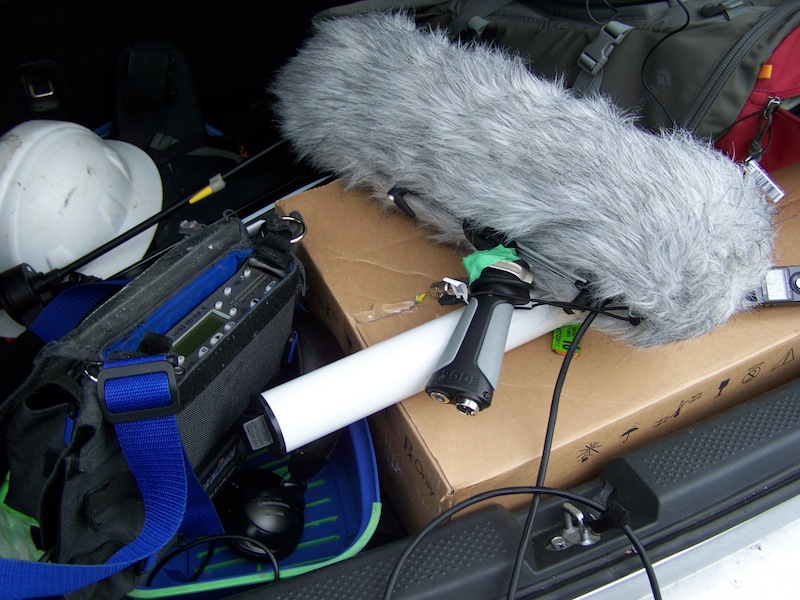
| Hard hat for the win |
Wednesday, October 10, 2012
Gopher Voice Sound Design
Go Go Greta has been released, pick up the app here. Congrats to everyone involved in the development!
A fun character in the story is Greta's gopher sidekick. One of my tasks in designing the soundscape was to give the gopher a voice.
To achieve this I recorded myself doing my best Caddyshack gopher impression. With a little processing, I manipulated my voice into something that the development team liked and from there I made variations for different situations.
Here are a few samples of the gopher voice I created:
Wednesday, September 5, 2012
Pro Tools Shortcuts
I've been diving back into using Pro Tools daily as opposed to Nuendo. If only there was one DAW to rule them all!
Wanted to quickly share a few links that I find to be really useful.
This is an awesome interactive site for PT10 shortcuts.
This Sound on Sound article from a few years back goes into some of the more obscure shortcuts and has a good step by step guide for creating your own Mac shortcuts for Pro Tools.
A shortcut that I've found to be good to create is one to open the I/O...
The second SOS article dives into setting up custom macros. If you use a ShuttlePRO, one of the many cool things about it is you can assign macro commands to a single button.
Please let me know if there are any other sites out there that you find helpful.
Subscribe to:
Posts (Atom)